Choosing Material for Laser Cut Products That Sell

Laser cut & CNC file designer since 2019
· Updated · 3 min read
materials laser cutting product design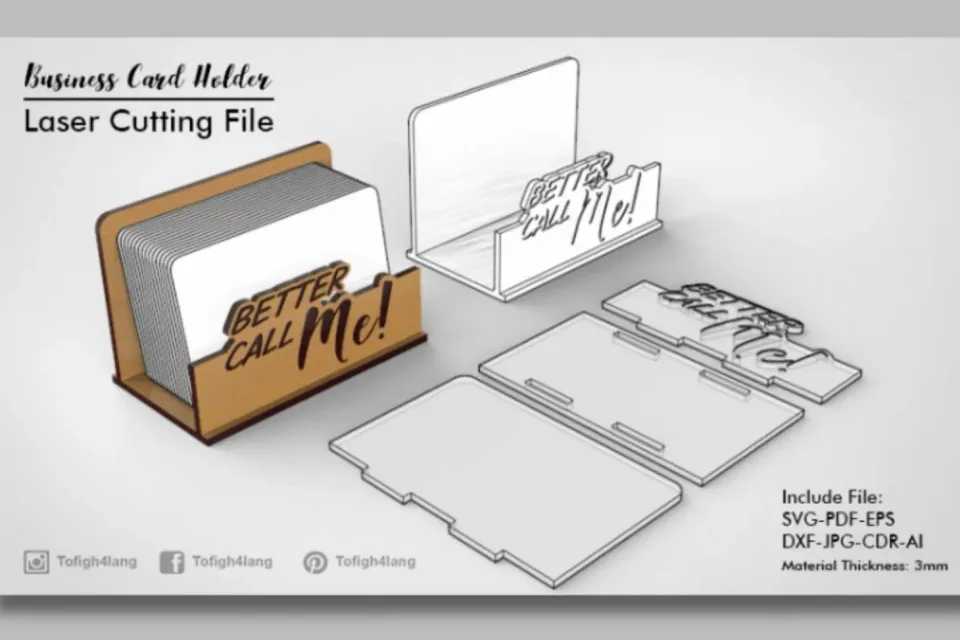
Material is not a decision you make after the design. It is the first constraint, and it quietly sets everything that follows: how fine your details can be, how strong the joints are, what the edges look like, and how much a customer will pay for the finished piece.
Birch plywood — the default, for good reason
Three millimetre birch ply is what most of my catalogue is designed around. It cuts cleanly, takes engraving with strong contrast, holds a finger joint under real load, and looks like a finished product without any post-processing beyond a light sand.
Its weakness is consistency. Plywood is layers of wood and glue, and glue lines burn differently from timber. A sheet with voids will produce a char-heavy edge or, occasionally, refuse to cut through in one spot while cutting cleanly two centimetres away. Buy laser-grade ply from a supplier who sells to laser users, not general-purpose sheet from a builders’ merchant.
MDF — cheap, precise, and it smells
MDF is homogeneous, which makes it wonderfully predictable: the same power and speed every time, across the whole sheet, in every direction. Fine detail survives better than in ply, and it is noticeably cheaper.
The downsides are real. The cut edge is dark brown and slightly furry, so it wants paint rather than a natural finish. It is heavier than ply, drinks primer, and the resin binder produces genuinely unpleasant smoke — extraction matters more here than with any other common material.
MDF is the right call for painted products, hidden internal structure, and prototypes you are going to throw away.
Acrylic — where the light goes
Cast acrylic gives you something no wood can: a polished, flame-finished edge that glows when lit from the side. For lamps, tealight holders and signage it is the obvious choice.
Two things to know. First, cast and extruded acrylic behave completely differently — cast engraves to a frosty white and cuts with a polished edge, extruded engraves poorly and is better suited to plain cutting. Second, acrylic is brittle and has no grain, so joints that rely on flex will crack. Design acrylic parts to slot and bolt, not to snap together.
Basswood and hardwood — the premium tier
Solid basswood cuts beautifully and, unlike ply, has no glue lines to fight. It is the material to reach for when the product itself is the gift — jewellery boxes, keepsakes, anything a customer will handle closely.
Hardwoods like walnut, cherry and maple cut more slowly and char more, but the finished piece justifies a price several times what the same design in MDF could command. Grain direction becomes a design decision: a thin part cut across the grain will snap where the same part cut along it would survive.
Thickness changes the drawing, not just the setting
This is the part that catches people out. A design drawn for 3 mm material is not a 6 mm design with different cut settings — every slot, every finger, every tab has to be redrawn to the new thickness. Scaling the whole file uniformly does not work either, because it scales the product as well as the joints.
When you commission a design, name the thickness you will actually cut. It is cheaper to draw it correctly once than to adapt it later.
A quick reference
| Material | Best for | Watch out for |
|---|---|---|
| 3 mm birch ply | Boxes, organisers, general products | Voids and glue lines |
| MDF | Painted pieces, prototypes | Edge colour, smoke |
| Cast acrylic | Lighting, signage | Brittle joints |
| Basswood | Premium gifts, keepsakes | Cost, softness |
| Hardwood | High-value products | Charring, grain direction |
Related guides: Laser cutting plywood settings for 3 mm and 6 mm · Laser cut earrings: materials, sizes and finishing · How to design for laser cutting
Not sure which material suits your product? Tell me what you are making and who it is for, and I will design around the right one. Send a brief.